Virtual Drive Manager虚拟光驱使用教程如下:
准备工具:需准备一个U盘。
启动PE系统:
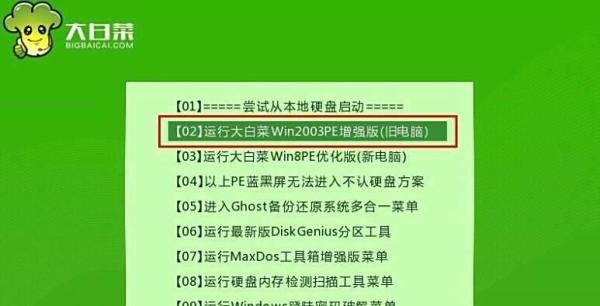
通过启动快捷键引导U盘启动,进入大白菜主菜单界面。
选择“【02】运行大白菜Win2003PE增强版(旧电脑)”,回车确认。
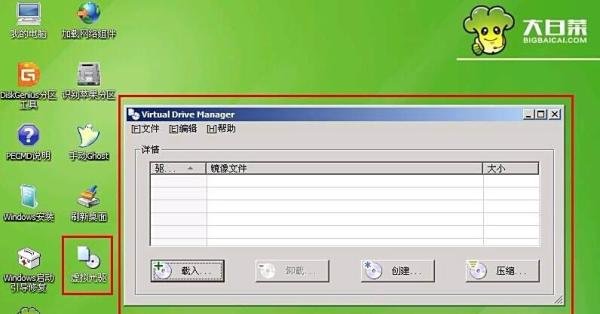
进入大白菜U盘启动的PE系统后,在桌面上找到虚拟光驱图标,点击打开。
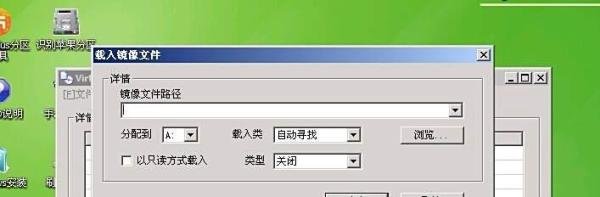
在打开的虚拟光驱工具界面中,点击“载入”按钮,开始选择镜像文件的路径。
选好所需的镜像路径后,点击确定。
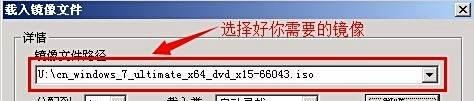
打开“我的电脑”,查看镜像是否已成功载入。
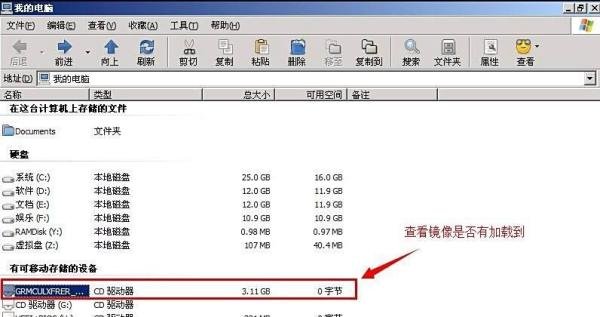
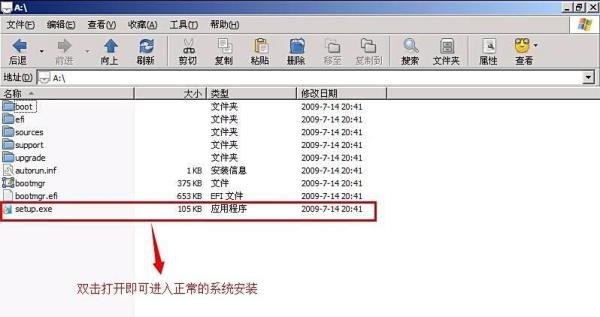
点击打开已载入好的镜像文件,在镜像文件下找到“setup.exe”文件,双击打开。
按照提示开始正常的系统安装流程。